An incremental mobile + performance improvement project on a legacy internal operations platform. The goal was to make the Hub fast and usable on mobile without a full redesign (as a new Flutter app was planned for the future).
Until 2022, the Focal Hub had no mobile version at all — it was completely desktop-only and not responsive. The business needed a fast way to make the tool usable on mobile devices for field teams.
At the time, leadership had plans to eventually build a brand new app in Flutter. Because of this, they asked for targeted improvements rather than a full redesign or architectural overhaul. The brief was clear: make the Hub significantly faster and mobile-friendly while keeping the existing foundation intact.
Interestingly, it is now 2026 and the new Flutter app has not yet been built. The improvements delivered in this project are still in active use and continue to support daily operations across multiple agencies.
Focal Hub is the central internal tool used by operations teams to manage orders, appointments, photography, and 360° smart viewings across multiple agencies and branches.
While functional on desktop, the experience on mobile was broken:
I spent time using the existing hub on an actual iPhone (the same device our field teams use). This revealed several critical issues that weren’t obvious from desktop testing:
When an admin selected an agency and branch, a heavy background query ran with zero indication. New users had no idea what was happening.
The app was fetching hundreds of orders on initial load, even when the user only wanted to see “Current Orders”. This made the entire experience feel sluggish.
Users thought of orders as one thing (with different states). The current IA treated To-Do, Current, and Previous as completely separate sections.
I approached this as both a UX and performance problem. The goal wasn’t just to “make it look good on mobile” — it was to make the tool genuinely pleasant and fast to use on the devices people actually use in the field.
Grouped To-Do List, Current Orders, and Previous Orders under a single Orders section. Renamed “To-Do List” to “Requiring an Action” to better reflect the user’s goal.
Replaced traditional pagination (which was just hiding already-loaded data) with true infinite scroll. We now load ~10 orders at a time as the user scrolls, dramatically reducing initial load time.
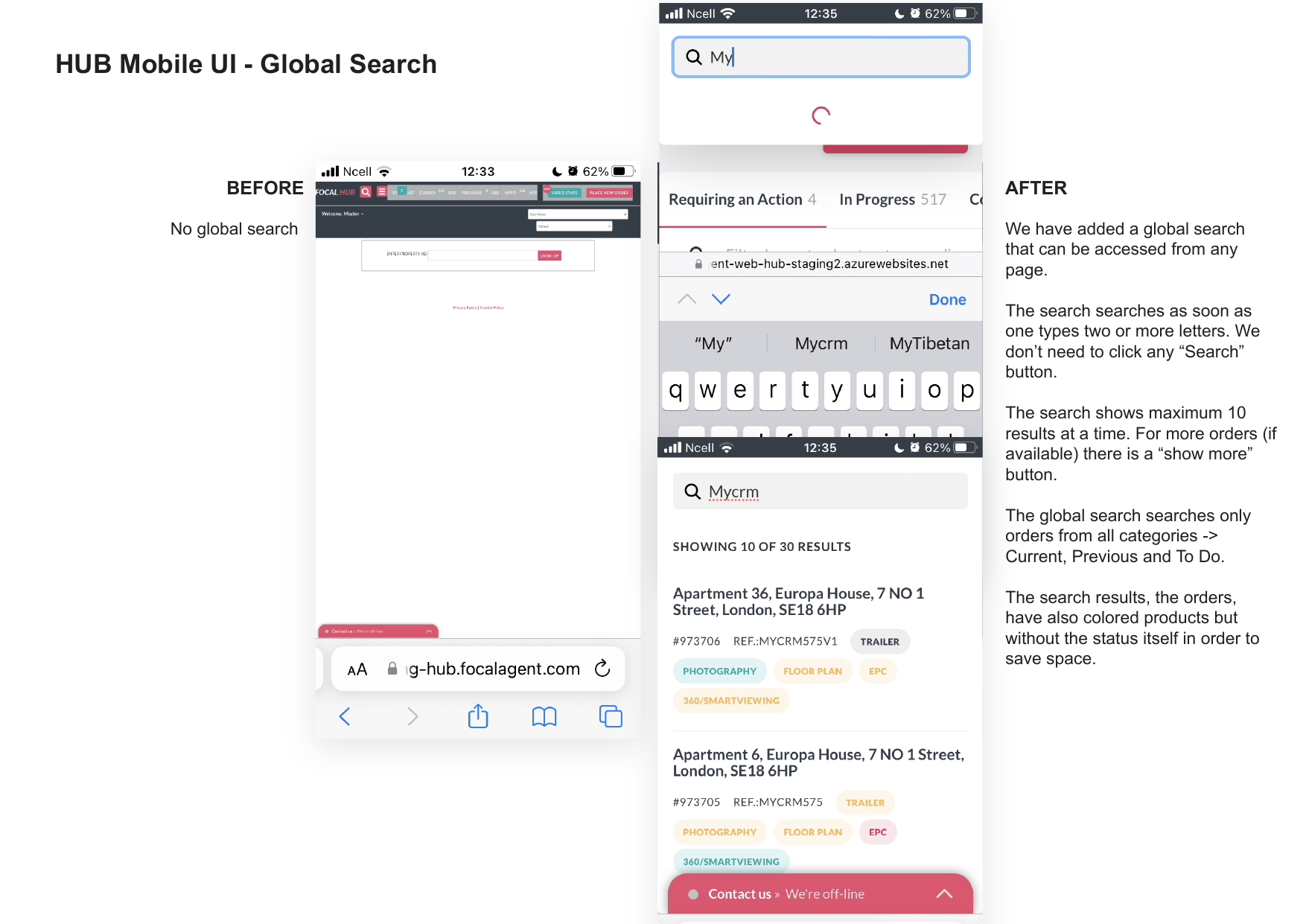
Added a persistent global search in the header that works across all order states. Users can now search from anywhere — including the Create Order page — without navigating away.
Increased tap target sizes, improved form input sizing to prevent iOS zoom, added clear loading states, and made every interactive element finger-friendly.
Introduced an automatic “Select agency and branch” modal on first login for admin users. This removed the hidden knowledge requirement that previously existed.
Here’s a closer look at the key screens and interactions we transformed, shown side-by-side.
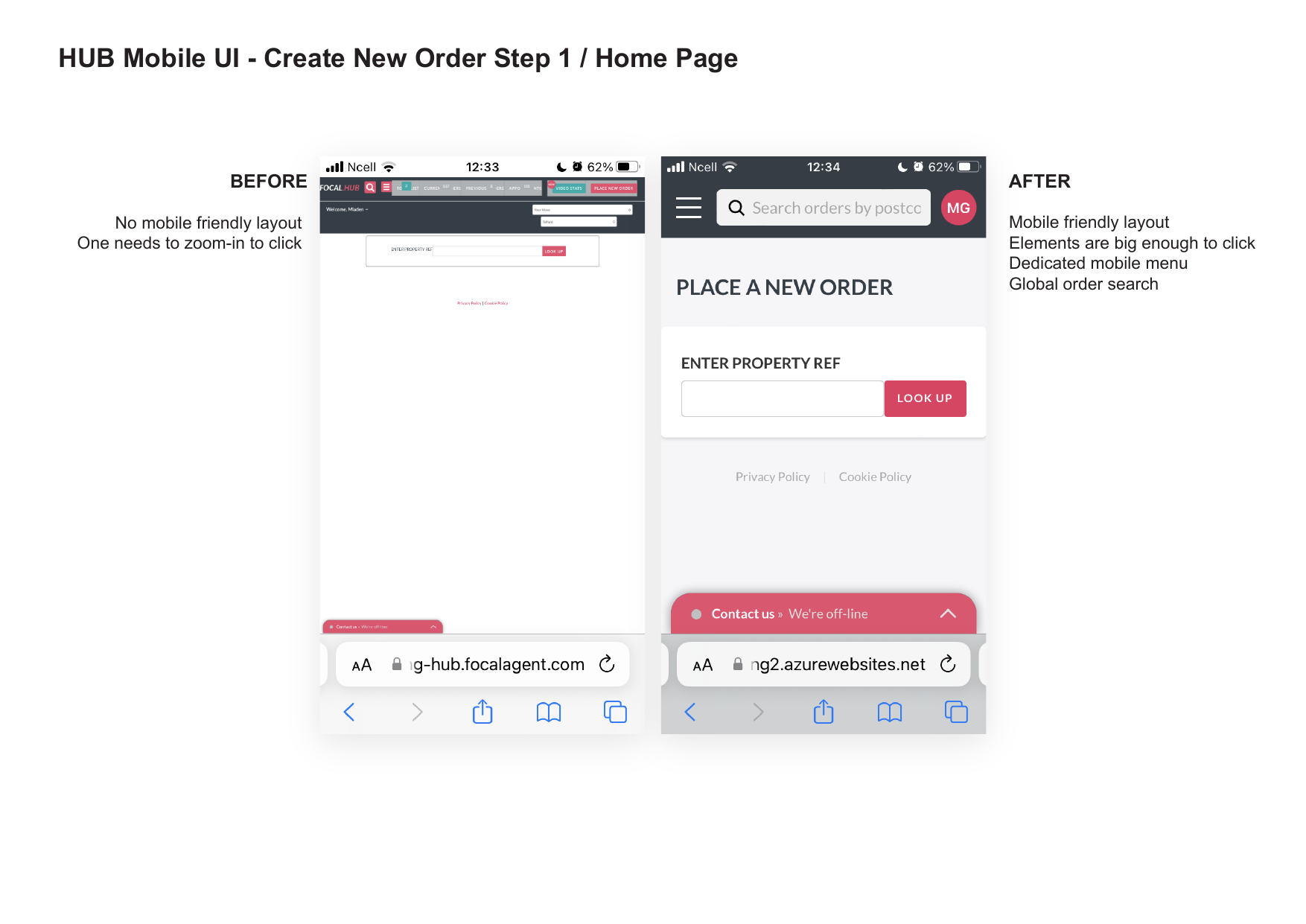
No mobile-friendly layout. Elements were too small — users had to zoom in to click anything.
Mobile-friendly layout with bigger tap targets. Added a dedicated mobile menu and global order search in the header.
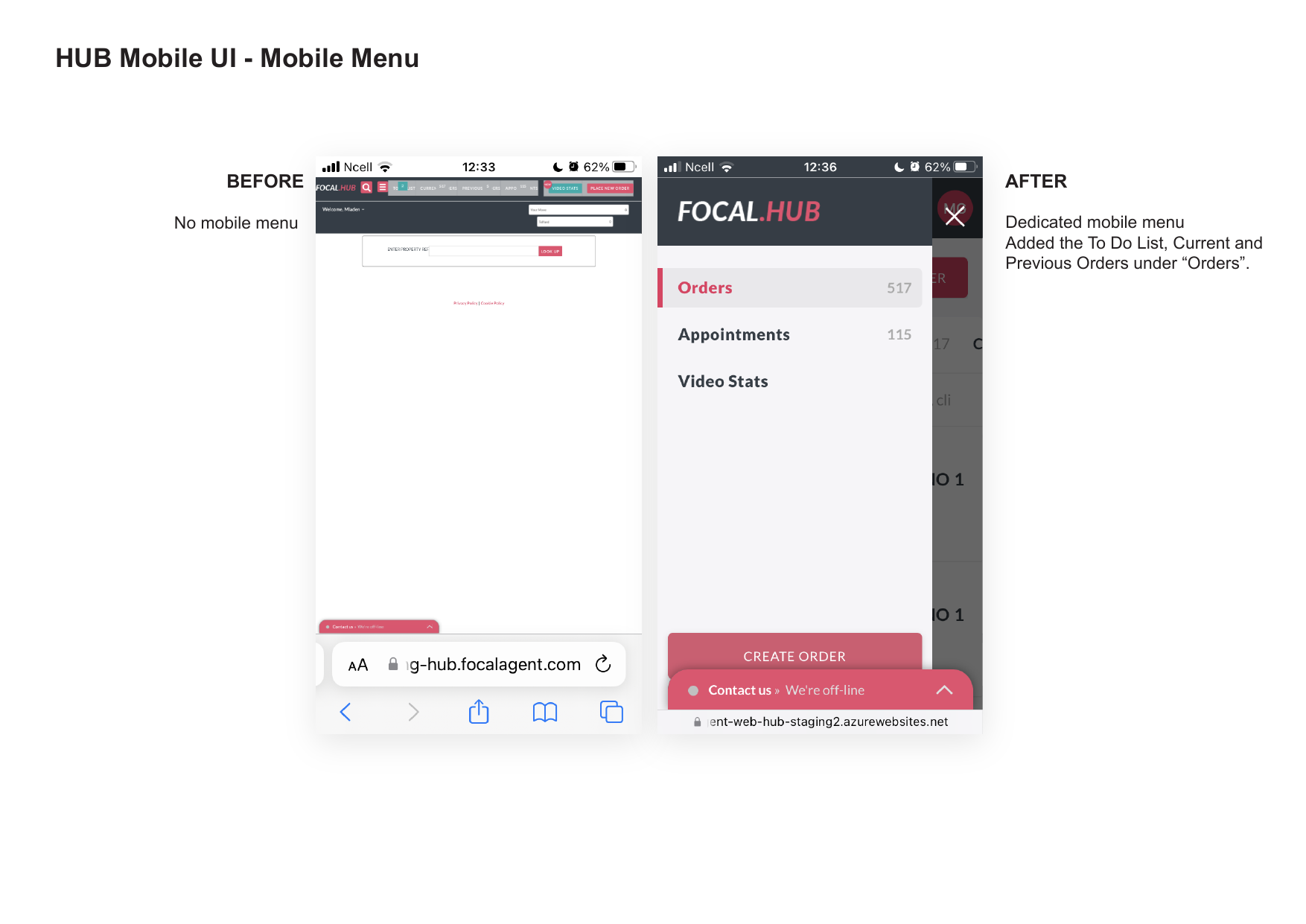
No functional mobile menu. The menu was broken on mobile.
Dedicated mobile menu with clear structure. Grouped To Do List, Current Orders and Previous Orders under a single “Orders” section.
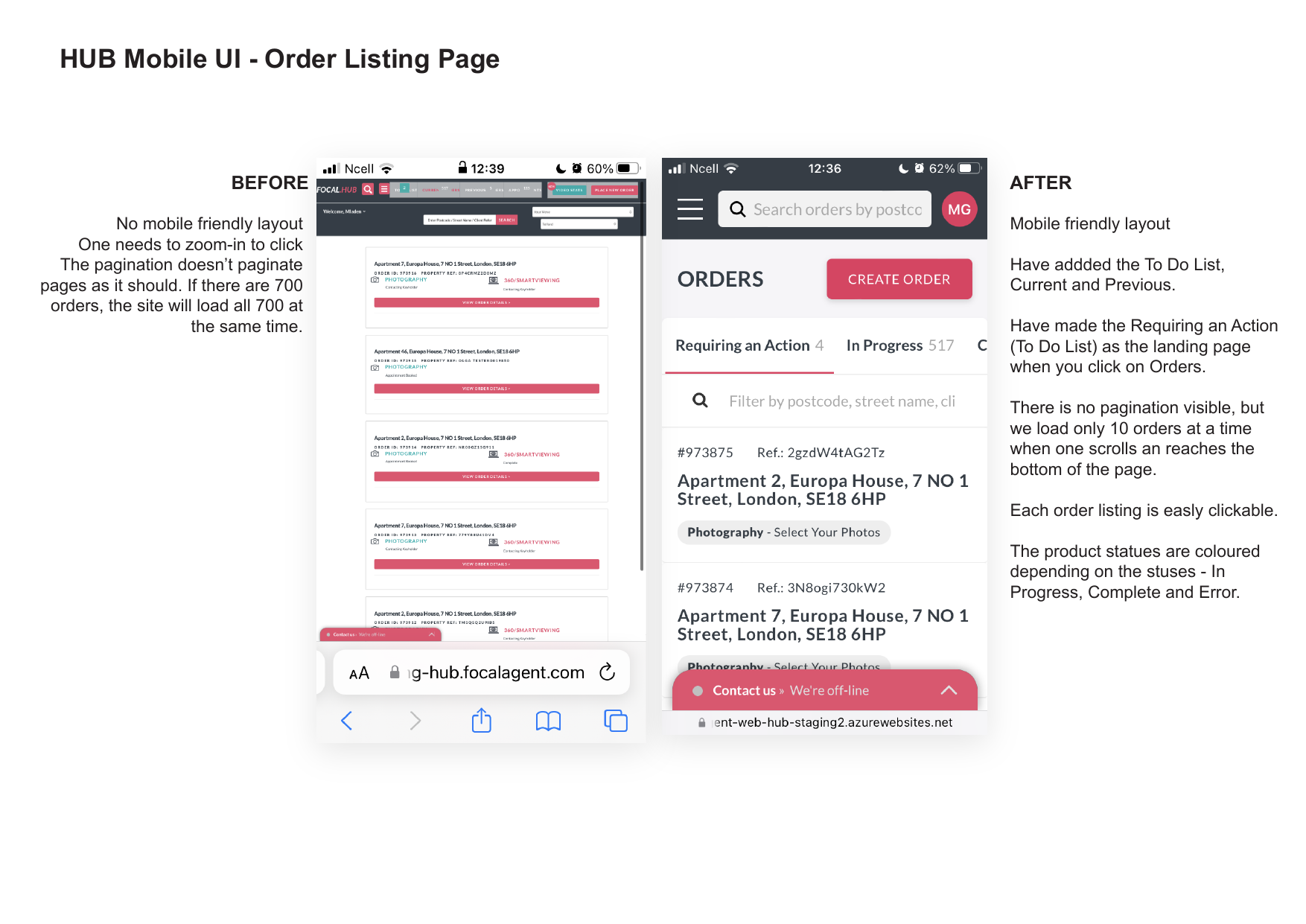
No mobile-friendly layout. Pagination didn’t actually paginate — the site loaded all ~700 orders at once.
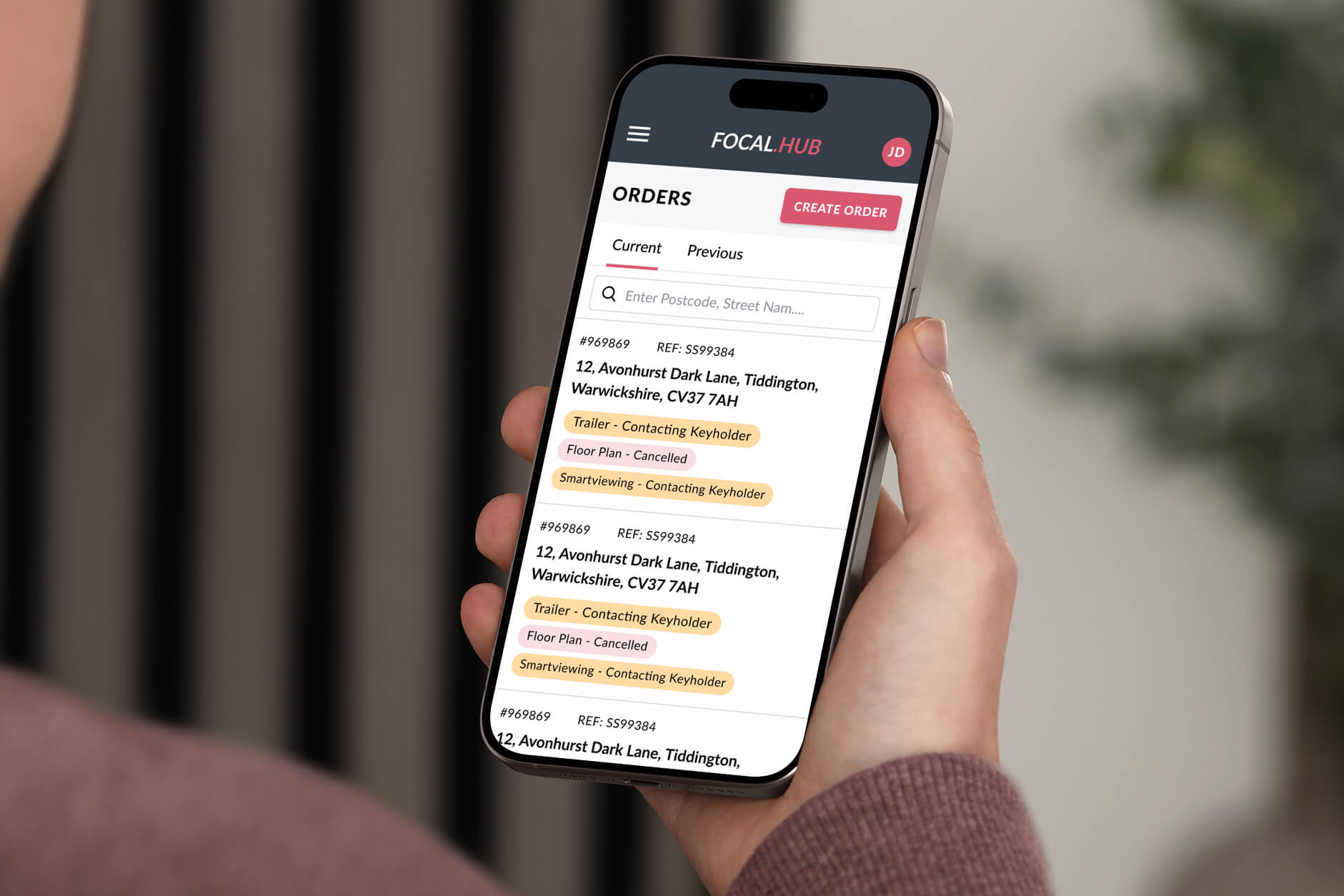
Clean mobile layout. “Requiring an Action” (formerly To Do List) is now the default landing page inside Orders. Infinite scroll loads ~10 orders at a time. Every order card is fully tappable. Statuses are clearly colour-coded (In Progress / Complete / Error).
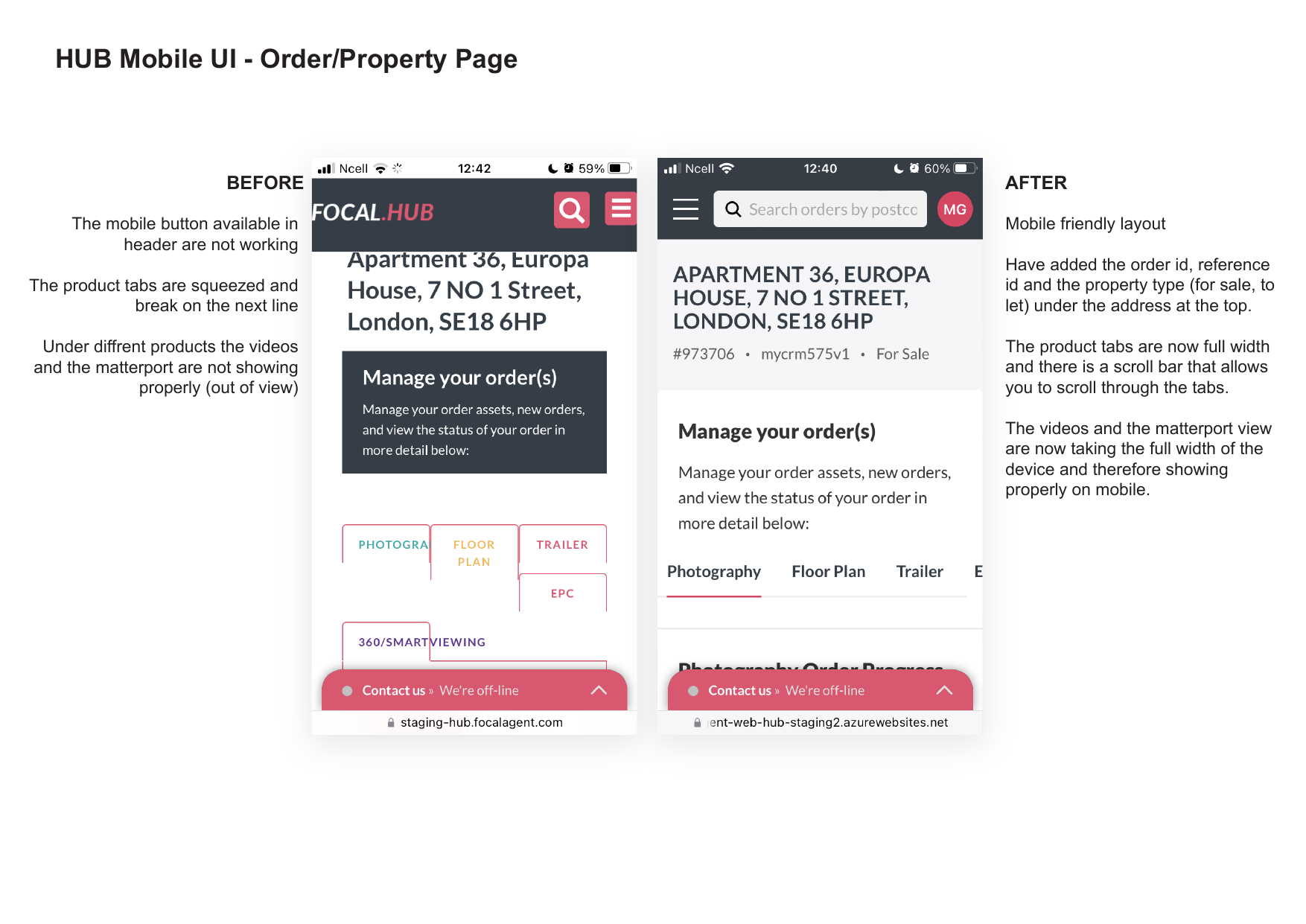
Mobile button in header wasn’t working. Products were squeezed and broke onto multiple lines. Videos and matterport views were not showing properly on mobile.
Full mobile-friendly layout. Order ID, reference and property type are clearly shown under the address. Product tabs now take full width with horizontal scroll. Videos and matterport views display properly on mobile.
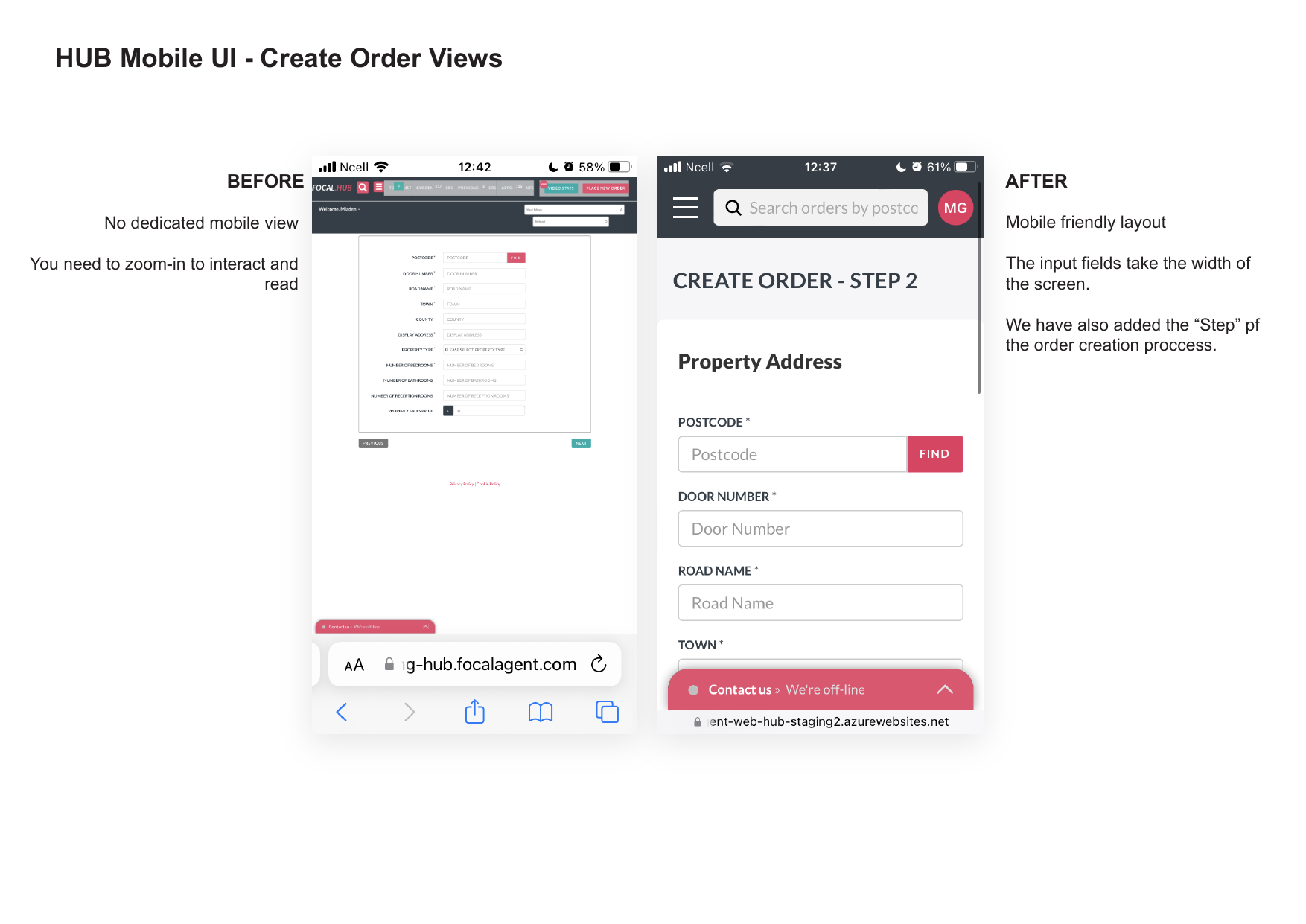
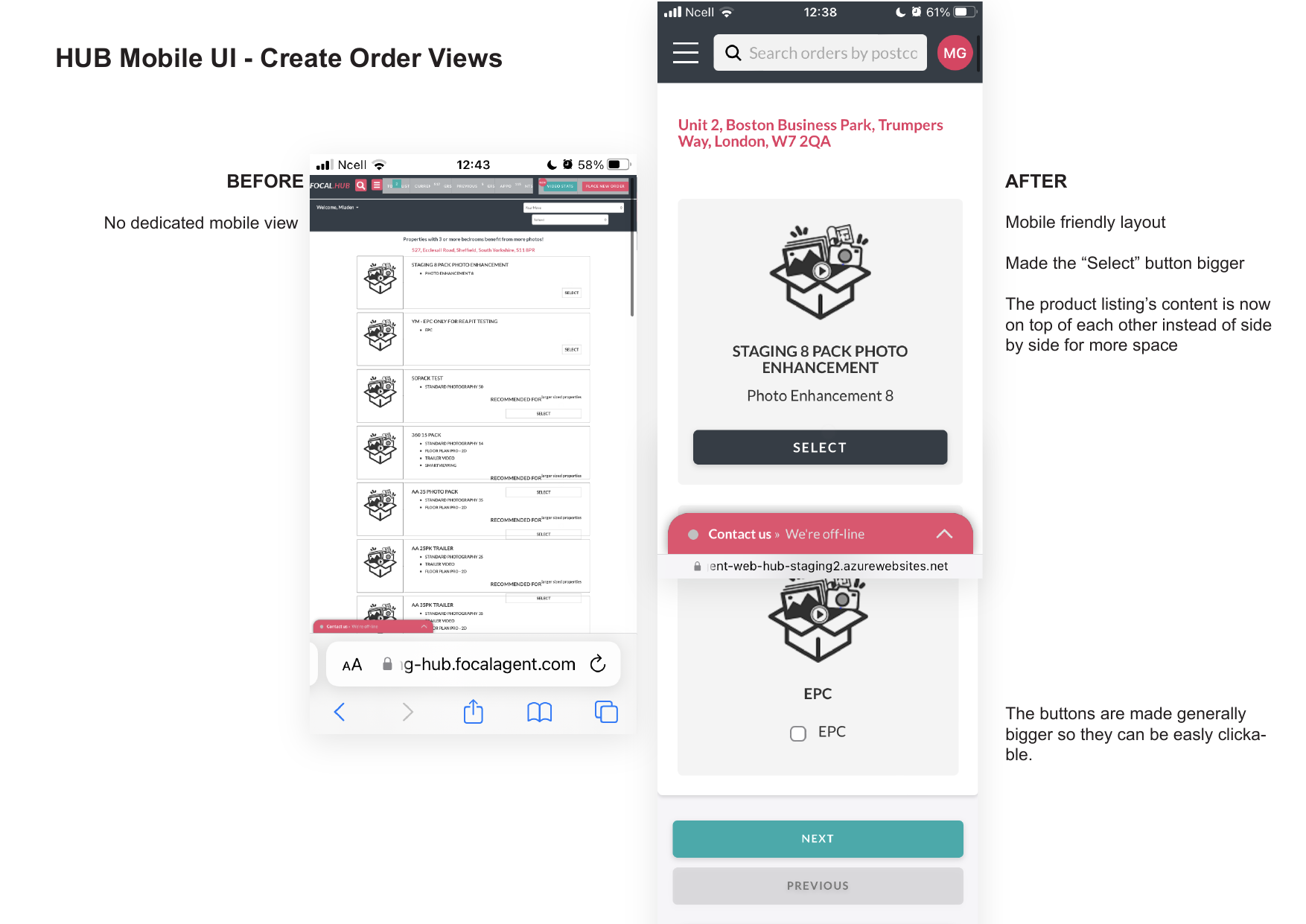
No dedicated mobile view. Users had to zoom in to read and interact with forms and product selection.
Inputs take full width. Clear step indicators added. “Select” buttons much larger. Product listings show side-by-side with better spacing.
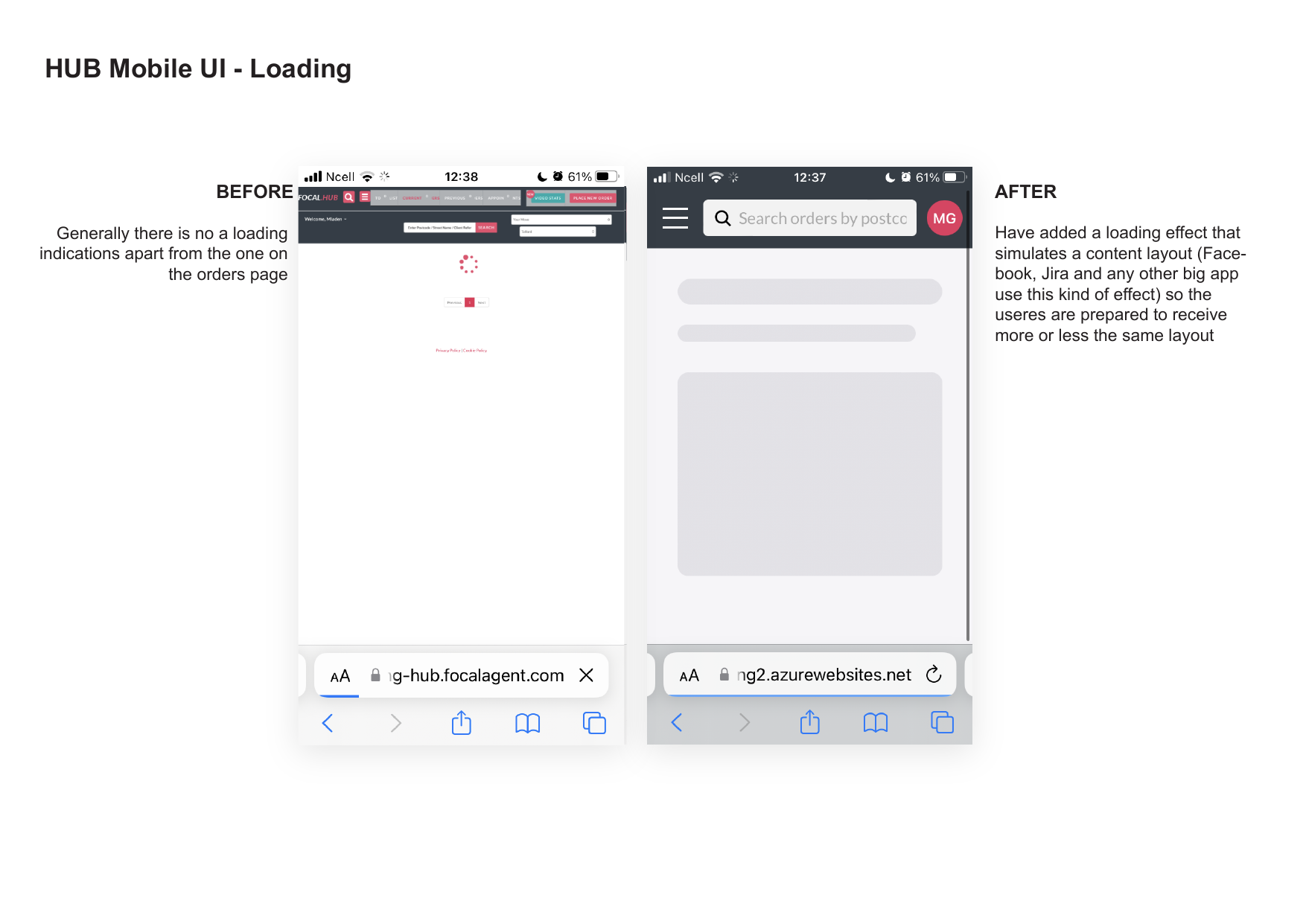
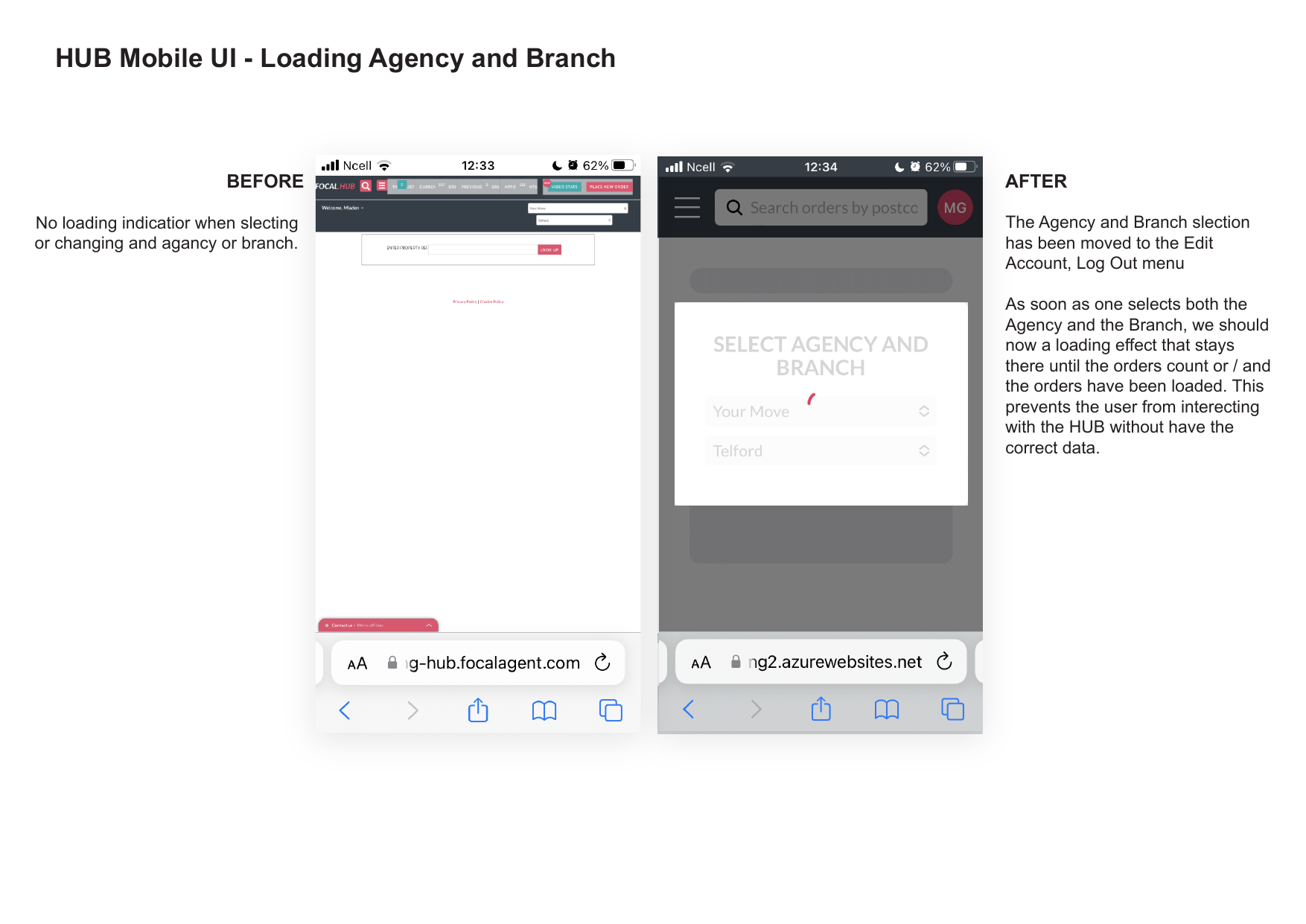
Almost no loading indicators. Selecting or changing agency/branch showed zero feedback during heavy background tasks.
Added subtle skeleton-style loading effects. Agency & Branch selection now shows persistent loading state until data is ready.
No global search. Search only worked within the current tab.
Powerful global search available from anywhere. Instant results across all order categories with clean result cards.
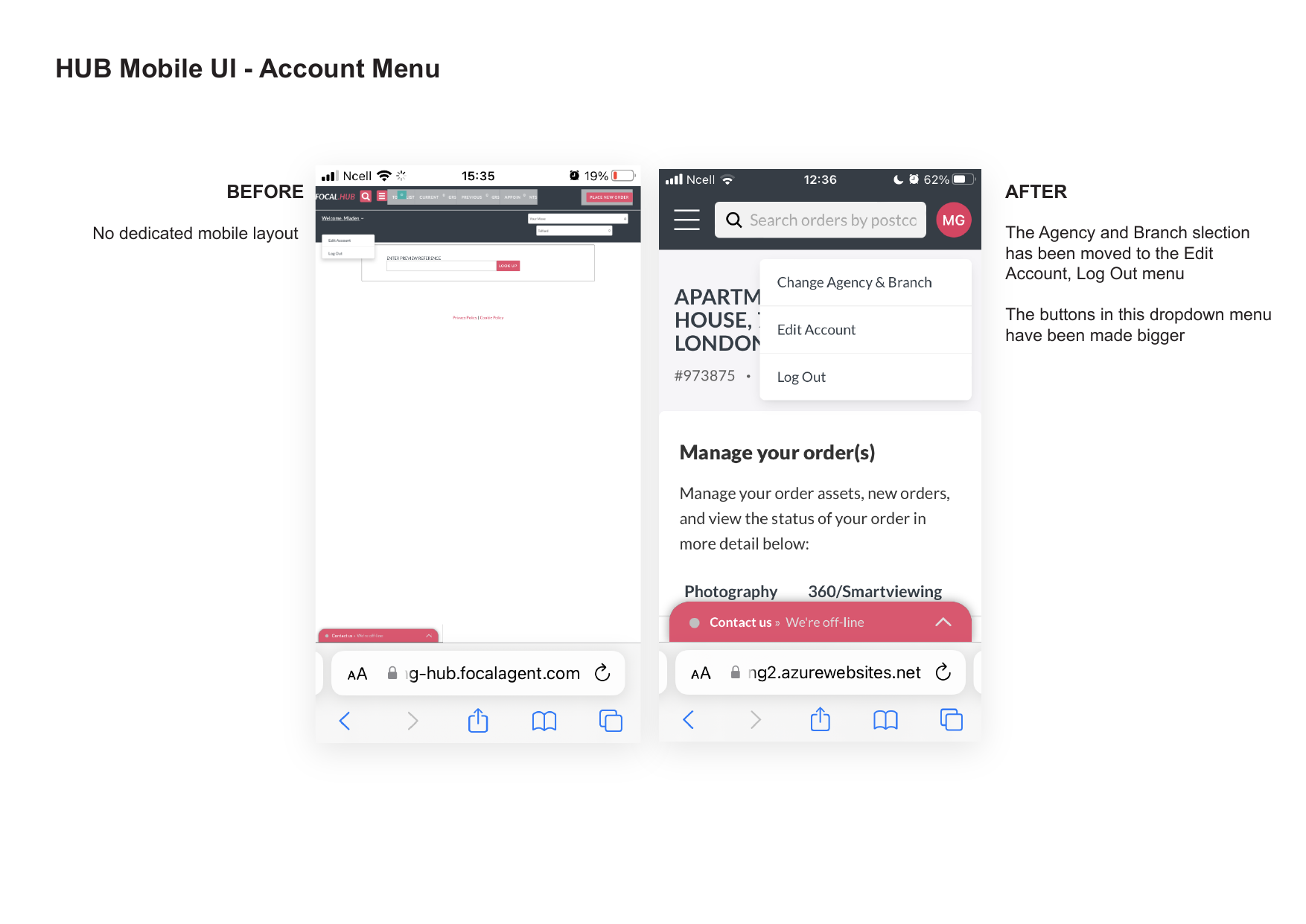
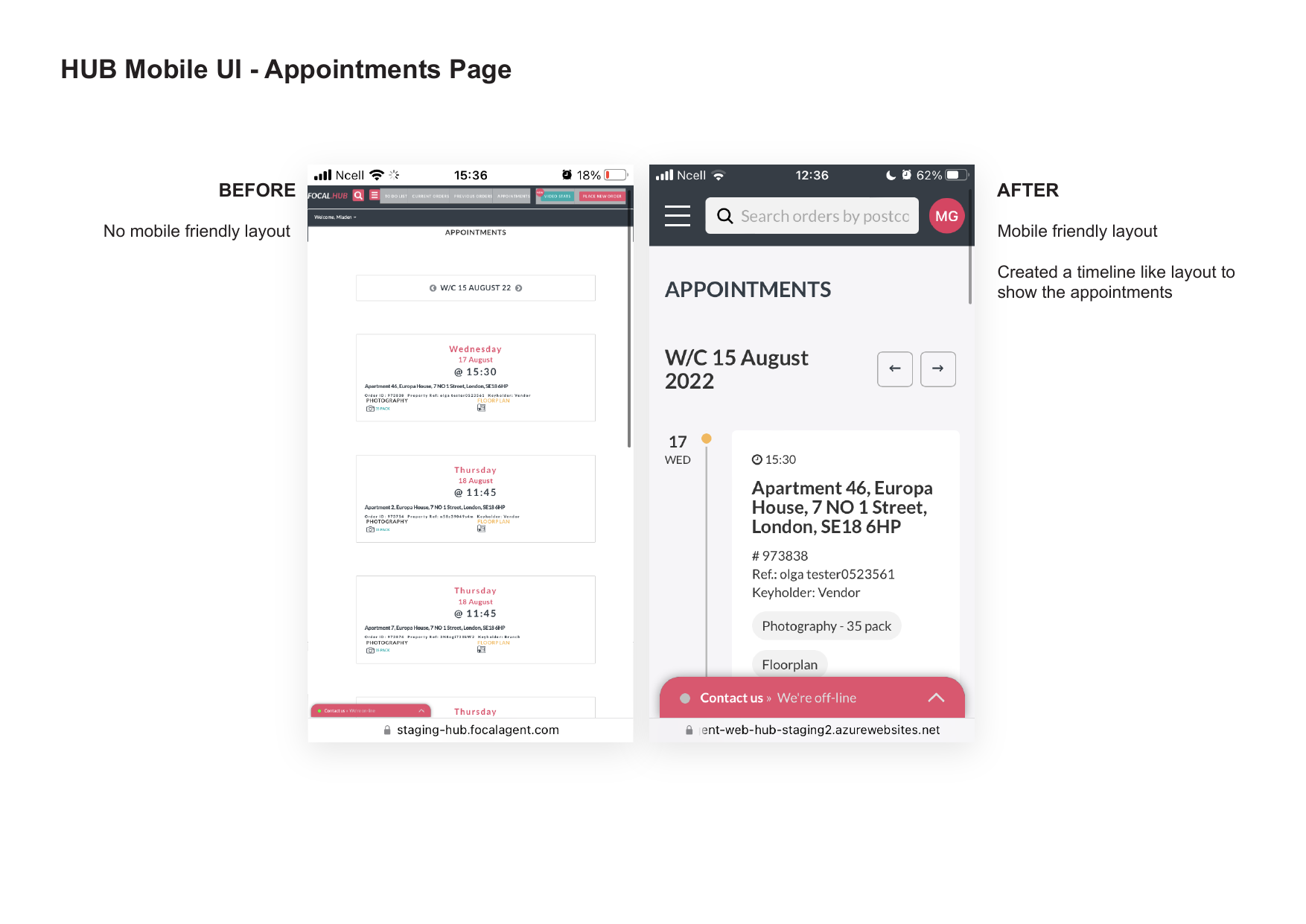
No dedicated mobile layout for account menu. Appointments page had poor formatting on mobile.
Agency & Branch moved into account dropdown with larger buttons. Appointments redesigned as a clean, scrollable timeline.
While we didn’t run formal usability testing due to time constraints, the qualitative feedback from internal testers and early users was consistently positive:
The biggest technical win was moving from loading everything upfront to a more thoughtful, progressive loading strategy. This change alone made the entire product feel significantly more responsive.
This project reinforced how much perceived performance and clarity matter — sometimes more than visual polish. The biggest improvements came from:
One thing I would do differently next time is involve more real users earlier in the process for quick validation, especially around the new navigation structure and naming (“Requiring an Action”).
Overall, this was a great reminder that even internal tools deserve thoughtful design — and that small, targeted improvements can have an outsized impact on daily work.
“Thanks for this. Looks great and from the looks of it the speed should be noticeably faster! Making the Hub faster and mobile friendly is a significant milestone which enables us to start our campaign of directing customers to the Hub where they can self-serve.”
“I’ve been through the docs and the film, thanks for all the effort in putting this together. There is so much to like about it!”
These improvements are still actively used in 2026, four years after delivery, which speaks to the lasting value of the work.
I’d be happy to walk you through the full process, show more screens, or discuss how I approach similar challenges.